Edibz - The Geek's Organisation !

Find Out your latest Application, News, how to, Android, Iphone, geek news, Gaming and all devices latest updates

Responsive Ads Here
Showing posts with label iphone. Show all posts

Tuesday, 6 March 2018

X-mirage-2.3.9 To display the iPhone screen on Windows

A program that specializes in displaying the screen of iPhone and iPad on the computer screen and can record the screen of the iPhone to make some explanations and others


This program has a copy of another program on the Mac and this program is similar to almost the same as the work of the program on the Mac.


This is the version of Windows


Tips to avoid things that drain your phone battery

We know you've read dozens of articles and watched many videos with tips to help you extend your iPhone's battery life and not drain it quickly. 


These articles and advice will not end. They are constantly repeated especially when each new version. Based on recent studies, five main reasons have been found to damage and drain the battery faster and how to prevent it.


1 - Hot or cold weather


The use of iPhone in hot weather or cold weather has a detrimental effect on battery performance and age. It is known that room temperature ranges from 20 to 25 degrees Celsius. It is the best temperature to use the phone and charge the battery as well as storage, but of course getting the perfect temperature is always impossible, so always prefer your phone temperature between 5 degrees Celsius to 45 degrees Celsius, and any temperature otherwise is very harmful to the phone battery Or on the phone as a whole. Yes iPhone has a fire feature if the temperature exceeds a certain limit, but the shutdown of the operating system aims to reduce the internal heat but damage to the battery continues.

What do I do to avoid this:

◉ Store and charge iPhone as much as possible at room temperature.
◉ Put your phone in your pocket for as long as possible if the weather is cold.
◉ Remove your phone from any covers in hot weather.
◉ Do not put your phone in the car if it is hot, and do not expose it directly to the sun.

2 - Poor network coverage


Add to that the weak Wi-Fi network. The poor coverage has a significant impact on battery depletion and life span, because the iPhone is working hard and continuously provide a better signal.

To avoid this, we recommend the following:

◉ If you are in an area with a weak signal, connect your phone to the charger, or activate flight mode.

3- Lot of Notifs


This is not a common problem but indirectly causes depletion of energy. Imagine with me that hundreds of notifications come to you and each time the phone screen lights up for the notification to appear. This will consume a huge amount of energy without being unknowable. On the top of the destructive applications of the battery applications social networking, every pressure I like or comment will be notified by this not only harms the battery, but the same person and his time where it is permanently fragmented.

If you have such apps and the large number of notifications, disable them in Settings - Notifications - then search for the app you want and then disable "Show on lock screen" or cancel notification at all.

4 - Screen brightness 


5 - Applications that drain the battery


This may cause by damage or depletion of your phone battery. It is an application installed on your computer that has a software code with defects that have a clear effect on the battery drain and destruction. And it happened with Facebook and the company recognized this - see this link - and repeated with YouTube months ago, which caused the drain of the battery dramatically even if the application is not used until the problem was addressed later.

Tips to avoid such situations :

If you find your battery performing quickly and suddenly getting worse, go to Settings - Battery - then look at which applications consume more power.
If you click the clock next to the last 24 hours tab and the Last two days tab, the amount of time spent on the screen and in the background will be displayed so you can see which applications consume more power in the background, Renew applications in the background if you want.


'Cellebrite' says it can open iPhoneX and other iOS devices !


Previously, the FBI worked with Cellebrite to open the iPhone to the terrorist who caused the shooting in San Bernardino, and now the same company says it can unlock the latest Apple devices, including the iPhone X.

According to a recent report by Forbes Magazine, Cellebrite has told its customers that its engineers are able to surpass the latest security technologies that Apple has included in its new devices, including the iPhone X and any iOS 11 device. According to the report, Cellebrite was able To penetrate the security architecture of the iPhone X since November last year. The company did not reveal that it was able to penetrate devices supported by iOS 11 so far.

Cellebrite works with law enforcement agencies to open suspects' devices. Cellebrite apparently retains a way of penetrating Apple's modern devices, because in case it reveals the way, Apple will try to fix it in future updates, which seems to be why the company has retained the security vulnerability it is exploiting to hack Apple devices.

[post_ad]

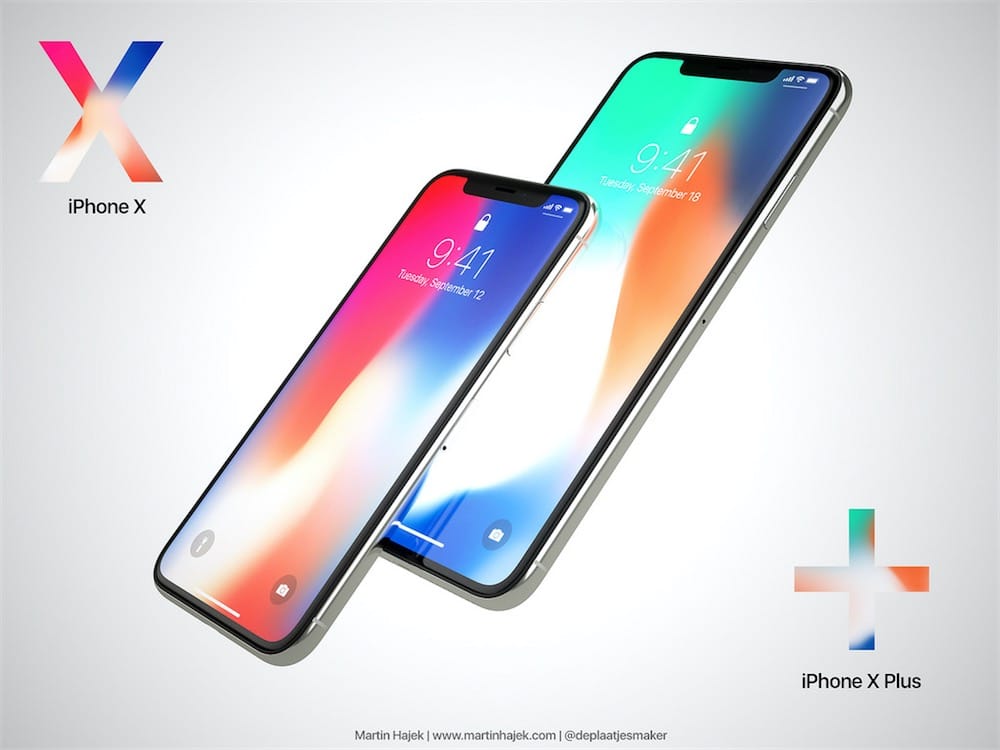
Will Apple launch the IphoneX Plus ?


Apple plans to launch the largest iPhone in its history this year, along with two phones, an upgraded version of the iPhone X, and a cheaper model with key features leading.

The new phone is expected to come with a huge 6.5-inch screen, similar to the one on the iPhone X screen, and may look like the iPhone X Plus, according to Bloomberg reports.
[post_ad]
Experts expect the introduction of the second-generation A12 processors in the design of the iPhone and the new iPhone X, with the edges of stainless steel.


In an interview with the Sun newspaper, analyst Daniel Evis, head of technology research at GBH Insights, said Apple is seeking to target more customers in Asia, especially in China, where large phones are as popular as their analog counterparts.

"IPhone X broke the $ 1,000 barrier with moderate success, and the price now depends on Apple's plans to launch two phones with OLED screens and an LCD phone."

Apple seems to be sticking to the price of the iPhone X expensive, in the face of weak demand, as it sold 77.3 million phones in the last three months of 2017, less than the estimated estimated 80 million phones.

At the same time, the increase in prices led to a 13% increase in revenues compared with the same period last year.

Thursday, 22 February 2018

How to disable slow iPhone performance in iOS 11.3

   By the end of 2017, Apple has admitted to deliberately slowing down iPhone phones. In an attempt to apologize to its customers, the company has launched a program to replace old iPhone batteries for $ 29, which will continue until the end of 2018. The company also added a new feature called Battery Health In the iOS 11.3 beta, which will slow down the iPhone's performance.


Battery Health can be accessed through Settings> Battery. This new feature will tell you important information about your iPhone's battery: the first about the maximum capacity and the second about the battery's ability to withstand the high performance of your phone Peak Performance Capability. Before you can disable the slow down mechanism for your phone, you need to first determine if your phone is slowing down or not. If you really have a slow problem, go to the Battery Health option and in the Maximum Capacity section you'll see your battery health rate. If the battery is less than 80% healthy, it means that your phone is slowing down, but if it's higher, your phone is in the right position and is capable of working at peak performance.


If the battery capacity is less than 80%, you'll see a message that your device's battery has 
deteriorated and that performance management features have been enabled. These features are what reduce the speed of your machine. You'll find the message in the Peak Performance Capability section and include a "Disable" or "Disable" link below. If you press it, it will disable slow down performance. You should be aware that you will not be able to reactivate this feature again. If your phone turns off unexpectedly after you disable it, iOS 11 will automatically turn it on again. Outside of this scenario, the user will not be able to control re-enabling this feature. Note that if you disable the phone, do not expect your phone to work as fast as it did on the first day. It will run a little faster than it was before disabling the feature but will not return to its speed when it is new.

Sunday, 7 January 2018

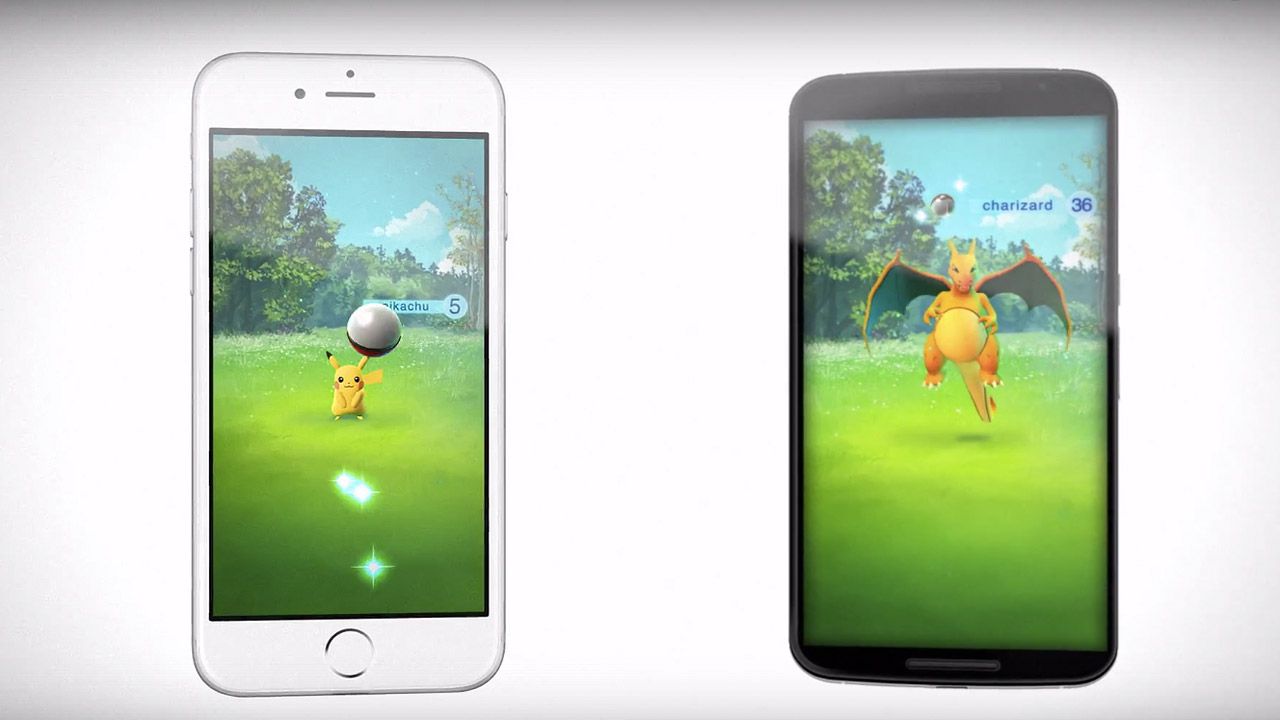
Download Pokemon Go v0.29.0


Pokémon Go has become a popular theme for fans around the world, as well as fans of the popular Pokémon series. The game, which is gradually being launched around the world, appears to be on the rise, calling on Australian police to issue a warning warning users to exercise caution.

[post_ad]

Friday, 8 December 2017

Best phone wallpapers of all times 2018 part 3

Here we come with the third part of best phone wallpapers of all time 

Enjoy